Knowledge Base
This page contains recommendations, requirements that you need to know to resolve potential issues that you might encounter based on the traget platform.
Android 12 and 13 targeting requirements
Bluestack SDK version 1.1.0 is using the IMA SDK version 2.18.1. If you are targeting Android 13, you must add the com.google.android.gms.permission.AD_ID permission in the AndroidManifest.xml file for the Google Mobile Ads SDK to access the Advertising ID:
<manifest>
    <application>
        ...
    </application>
    <!-- For apps targeting Android 13 or higher & IMA SDK version 3.24.0 or lower -->
    <uses-permission android:name="com.google.android.gms.permission.AD_ID"/>
</manifest>
Reference: https://developers.google.com/interactive-media-ads/docs/sdks/android/dai/android-12
ERROR: java.lang.UnsupportedOperationException: This feature requires ASM7
If you are targeting Android 11-13, you may encounter this error. To fix this.
- Change the API Level and build
- Change back to your original API Level and try build again
- Also try closing and reopening Unity Editor
Reference: https://forum.unity.com/threads/this-feature-requires-asm7.1360672/
iOS: static vs dynamic linking of the CocoaPods frameworks
After File > Build Settings > Build, EDM4U writes the Podfile of the exported Xcode project from
BlueStackDependencies.xml. The BlueStack SDK and the selected mediation adapters are declared under the
UnityFramework target only, the Unity-iPhone app target stays empty, and the frameworks are linked
dynamically with use_frameworks!:
target 'UnityFramework' do
  pod 'BlueStack-SDK', '<version>'
  ...
end
target 'Unity-iPhone' do
end
use_frameworks!
Two settings in Assets > External Dependency Manager > iOS Resolver > Settings control the linkage:
| Setting | Podfile line | Required value |
|---|---|---|
Add use_frameworks! to Podfile | use_frameworks! | checked |
Link frameworks statically | use_frameworks! :linkage => :static | unchecked |
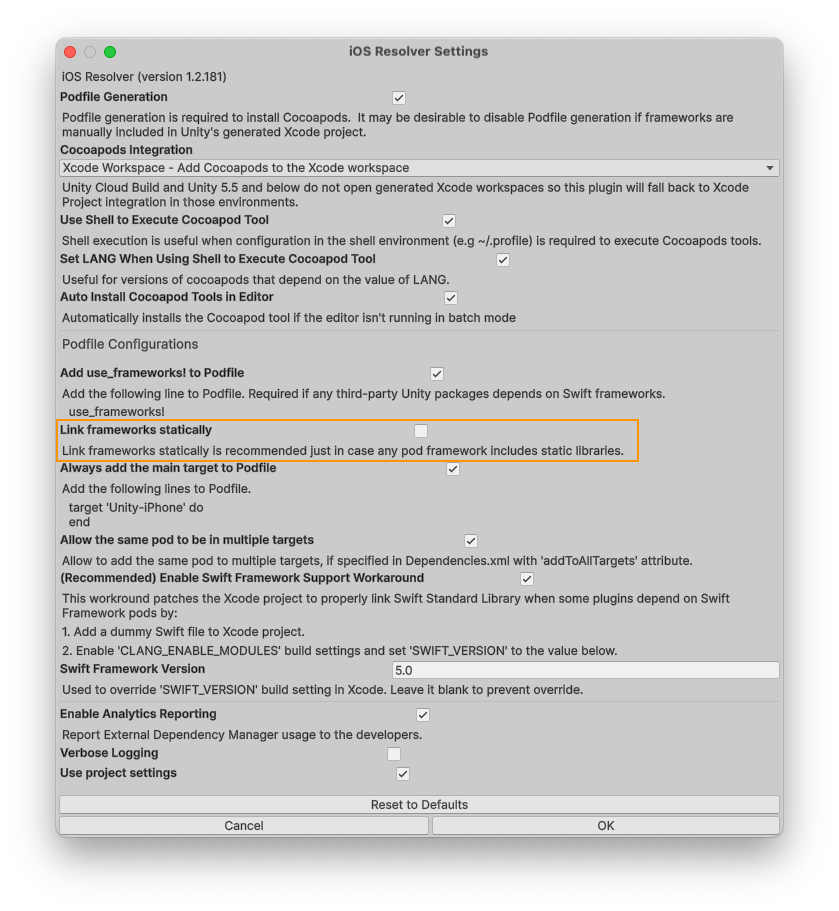
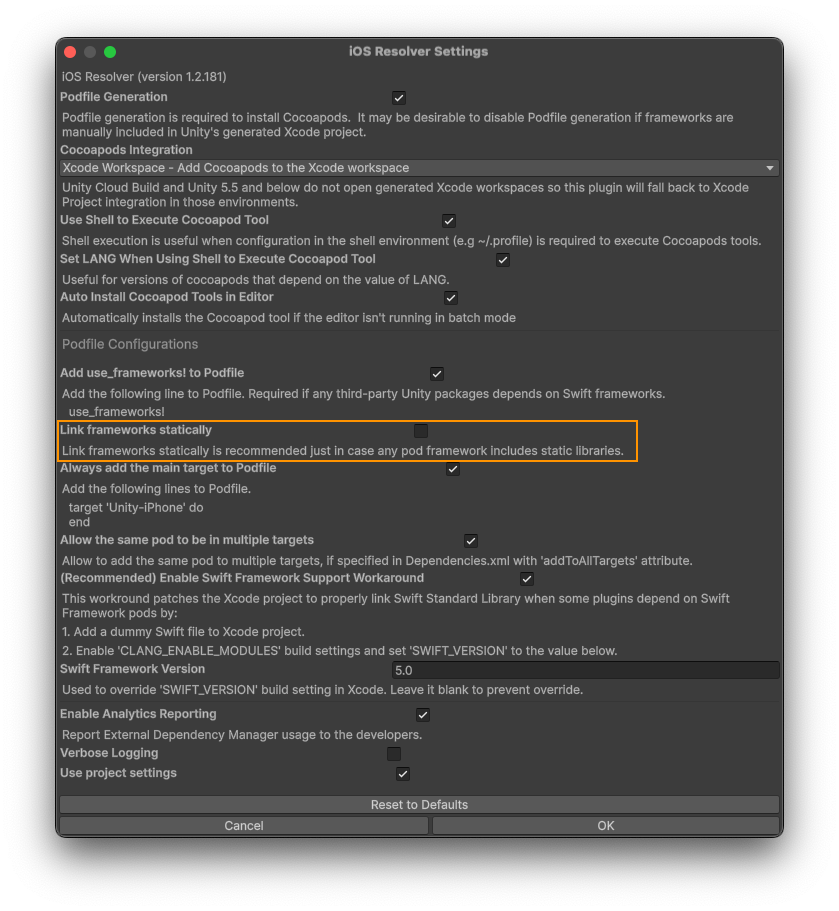
The SDK is built and tested with dynamic linkage. Static linkage (:linkage => :static) is not supported.
If you maintain the Podfile yourself, keep use_frameworks! and do not add :linkage => :static.
Duplicate frameworks in the app target
Some frameworks in the dependency tree are static, for example BidMachine, OMSDK, PrebidMobile and SASDisplayKit.
With use_frameworks! CocoaPods treats every pod as dynamic, copies the pods of the embedded UnityFramework
target to its host Unity-iPhone target and links their vendored frameworks there as well. Each static SDK then
gets linked twice into one process, once inside UnityFramework and once into the app binary. Which copy runs
is undefined. This shows up as duplicate class warnings at launch, and BidMachine does not initialise correctly.
Since 6.0.0 the plugin handles this in its iOS post-build step. It adds a step to the post_install hook of the
generated Podfile that removes the -framework and -weak_framework entries of every pod from OTHER_LDFLAGS
of the Pods-Unity-iPhone target. UnityFramework keeps everything the app needs. The hook is created only when
the Podfile has none, otherwise the step is inserted at the end of the existing hook and its content is kept.
To check that it worked:
- The Unity Editor log contains
[BlueStack] Podfile post_install hook updated to keep pods out of the Unity-iPhone target. - After
pod install,OTHER_LDFLAGSinPods/Target Support Files/Pods-Unity-iPhone/Pods-Unity-iPhone.release.xcconfighas no-framework "<pod>"entries, whilePods-UnityFramework.release.xcconfigstill lists them.
If you regenerate the Podfile after the Unity build, run the Unity build again so the step is added back.
Without it the duplicates come back after the next pod install.
See also the iOS steps in Getting Started.